An offline medical study library lets medical students and residents watch high-yield lectures anywhere, even without Wi-Fi or a cellular signal.
As medical students, anesthesia residents, and clinical practitioners, we have seen digital learning platforms completely transform the way we study. From detailed anatomy models to step-by-step procedural demonstrations, such as ultrasound-guided nerve blocks or airway management, video content has become an indispensable part of modern medical education.
However, relying purely on a fast, stable internet connection is not always realistic. Hospital wards, operating theaters, on-call resident quarters, and daily commutes frequently suffer from spotty Wi-Fi or a complete lack of cellular signal.
This guide shows you how to choose a safe, legal offline medical video downloader approach, how to organize your lectures into a clean folder system, and where to store your library so it is always ready.
Disclosure: this post contains affiliate links. I may earn a commission at no extra cost to you
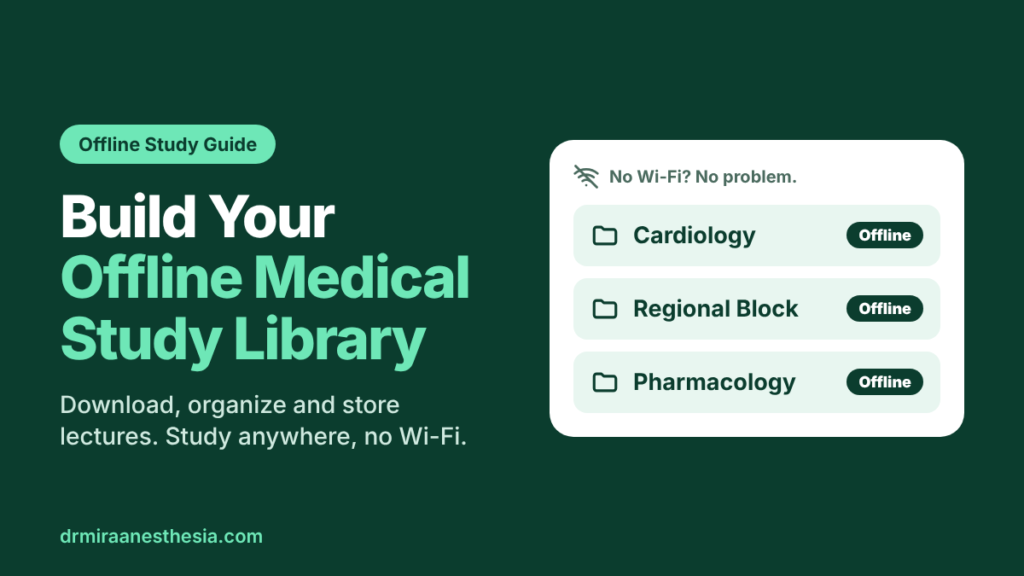
Table of Contents
Why Every Medical Student and Doctor Needs an Offline Video Library
Streaming works well until the network fails. Saving your core learning resources directly on your PC, phone or external drive gives you clear clinical and academic advantages. Whether you use an official in-app download feature or an offline medical video downloader, the goal is the same: lectures that play every time you press play.
Your offline medical study library should stay organized by topic.
- No buffering: lectures start instantly and never freeze in the middle of a procedure demonstration.
- Study in low-signal places: wards, operating theater breaks, on-call rooms, hospital basements and long commutes
- .Save mobile data: download once on good Wi-Fi and rewatch as many times as you need.
- Fewer distractions: an offline library keeps you away from notifications and recommended videos.
- Stay organized: a folder you control is easier to search and revise than scattered bookmarks.
This matters for any field built on visual learning, and medical education increasingly depends on video for exactly that reason
Step-By-Step: Curating High-Yield Medical Video Resources
Decide what is worth keeping before you open any offline medical video downloader or app. A small, well-chosen library beats a huge folder you never open.
1. High-Yield Procedural & Clinical Videos
Procedure videos are the best candidates for offline use because you will rewatch them before doing the procedure yourself. Good examples include:
- Ultrasound-guided nerve blocks, such as the femoral nerve block and adductor canal block
- Airway management, including video laryngoscopy and difficult airway plans
- Central line and arterial line placement
- Spinal and epidural technique
2. Core Physiology and Pharmacology Lectures
Explanatory lectures work best when you can pause, rewind and take notes without a connection. Prioritize the topics that appear again and again in exams and on the wards:
- Oxyhemoglobin dissociation curve and oxygen transport
- Inotropes and vasopressors
- Neuromuscular blockers and reversal
- Cardiac and respiratory physiology reviews
Tip: keep only the lectures you plan to rewatch within the next few weeks. Delete or archive the rest.
How to Choose the Right Offline Medical Video Downloader
The right offline medical video downloader is the one that is legal for your content, reliable and simple to use. Before you choose any tool, check these points:
- Permission: only save content you own, have licensed, or have the right to keep offline.
- Reliability: test the tool on one short lecture before you trust it with a whole course.
- Quality and format: pick a tool that keeps good video quality and uses common formats such as MP4.
- File names: a good offline medical video downloader lets you name files clearly so you can find them later.
- Safety: download software only from the official website, and avoid tools that bundle adware or ask for unnecessary permissions.
- Device support: make sure it works on the devices you study on.
Official Ways to Download Lectures for Offline Study
The safest option is often a feature already built into the platform you use:
- Course apps: many online course apps, such as the mobile apps of major course platforms, let enrolled students download lessons inside the app for offline viewing.
- YouTube Premium: it offers offline downloads inside the YouTube app for personal viewing.
- University platforms: your learning management system or lecture recordings may allow downloads. Ask your department if you are not sure.
Use these official options first. They are safer, they respect creators, and they protect your account. Only download content you own or have permission to save
How to Organize Your Offline Medical Study Folders
Saving videos is only half the job. An offline medical study library only helps if you can find a lecture in under ten seconds. Use one main folder, number the sub-folders by priority, and name every file the same way.
Medical_Study_Library/
├── 01_Anesthesia_Procedures/
│   ├── Femoral_Nerve_Ultrasound.mp4
│   └── Airway_Management/
├── 02_Pharmacology/
│   ├── Inotropes_and_Vasopressors.mp4
│   └── Neuromuscular_Blockers.mp4
└── 03_Physiology_Reviews/
    └── Oxyhemoglobin_Dissociation_Curve.mp4
Naming rules that keep the library clean:
- Start folders with numbers (01, 02, 03) so they sort in your priority order.
- Use underscores instead of spaces, for example
Neuromuscular_Blockers.mp4. - Put the topic first and the source or speaker last.
- Add a short text file or note in each folder listing what you still need to watch.
- Review the library every month and remove what you no longer need.
Where to Store Your Offline Medical Study Library
An offline medical video downloader is only useful if you have somewhere safe to keep your lectures. A portable hard drive or SSD lets you store your study library, back it up and carry it between your laptop, tablet and phone.
- Portable hard drive (HDD): more storage for the price, good for large video libraries.
- Portable SSD: faster and more resistant to knocks, useful if you carry it every day.
A good offline medical study library saves time before exams.
A simple rule protects your work: keep three copies of anything important, on two different types of storage, with one copy somewhere else, such as cloud storage or a drive left at home.
As an Amazon Associate I earn from qualifying purchases.
Summary & Best Practices for Digital Study
A good offline study library comes down to four habits: choose carefully, download legally, organize clearly and store safely.
- Pick only the high-yield lectures you will really rewatch.
- Use official in-app downloads first, and choose any offline medical video downloader with care.
- Keep one clear folder structure with numbered folders and consistent file names.
- Back up your library on an external drive and keep a second copy elsewhere.
- Review and clean the library every month.
With the right offline medical video downloader approach and a simple folder system, your lectures will be ready on the ward, at home or on the move.
Keep a backup of your offline medical study library on an external drive.
Disclaimer
This article is for educational purposes only. Only download content you own or have permission to save, and follow the terms of service of every platform you use. This post contains affiliate links, which means I may earn a commission at no extra cost to you.